What is a Professional Design File for Custom Box Packaging?
Discover what makes a professional packaging design file and why it's critical for creating custom rigid boxes, folding cartons, and shipping boxes.
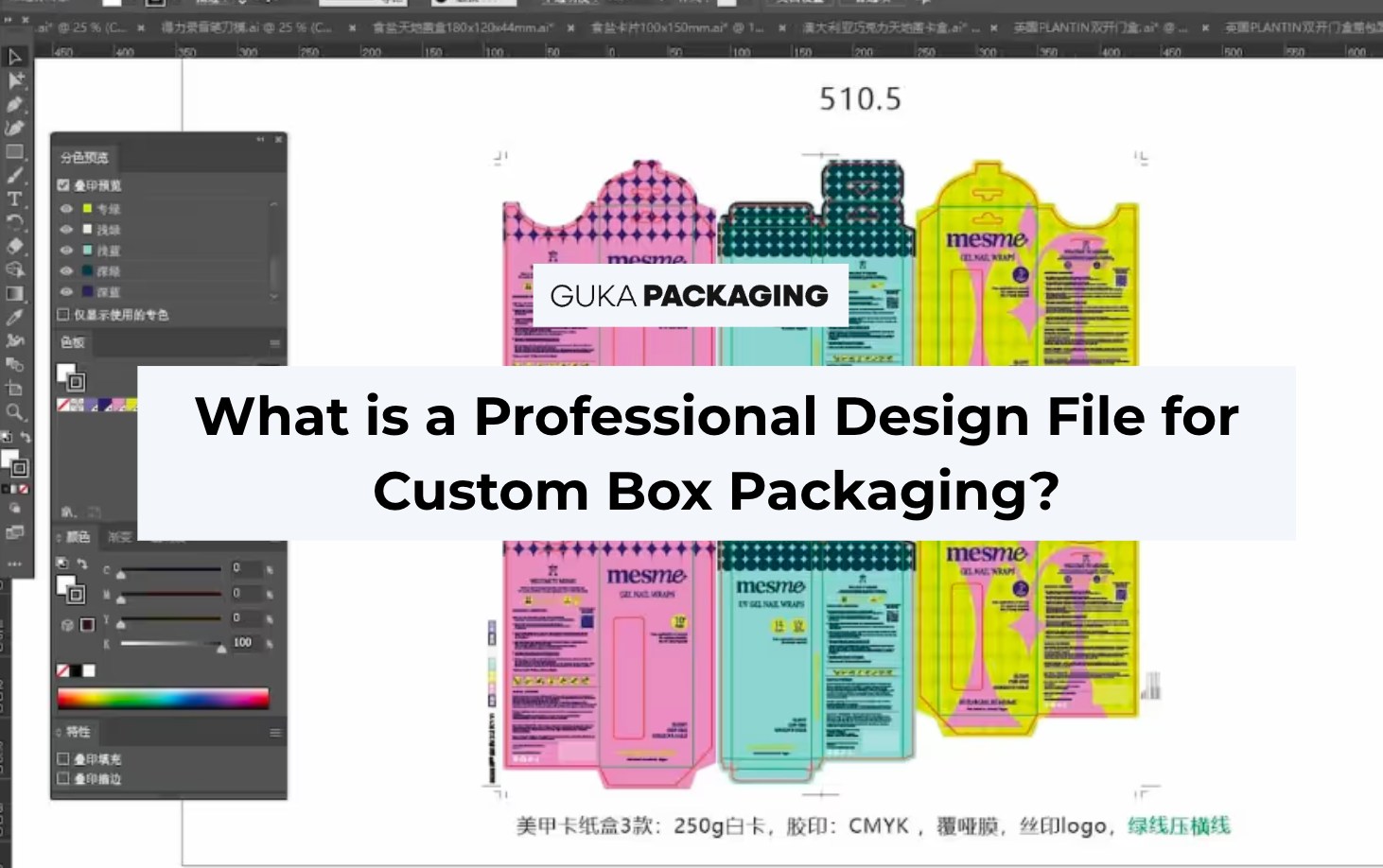
Table of content
When brands design a product, custom packaging definatly will come next. A stunning visual design is just the beginning. The technical side—especially the professional packaging design file—is what truly brings your custom box to life. Whether you're launching a luxury perfume line or shipping eCommerce orders globally, understanding what goes into a proper design file is crucial to achieving flawless results. This article explores what professional design files are, why they matter, and how to prepare them effectively for custom packaging.
What is a Professional Packaging Design File?
A professional packaging design file is a digital, print-ready file that includes all the technical specifications required to manufacture a product's packaging correctly. It ensures the packaging is printed accurately, die-cut precisely, and assembled without errors.
Common File Types Used:
- AI (Adobe Illustrator) – Industry standard for vector-based artwork.
- PDF/X-1a – Ideal for press-ready files with embedded fonts and images.
- EPS – Useful for logos and vector elements.
- PSD (Photoshop) – For raster images and textures (used as supplementary files).
Elements Inside a Professional File:
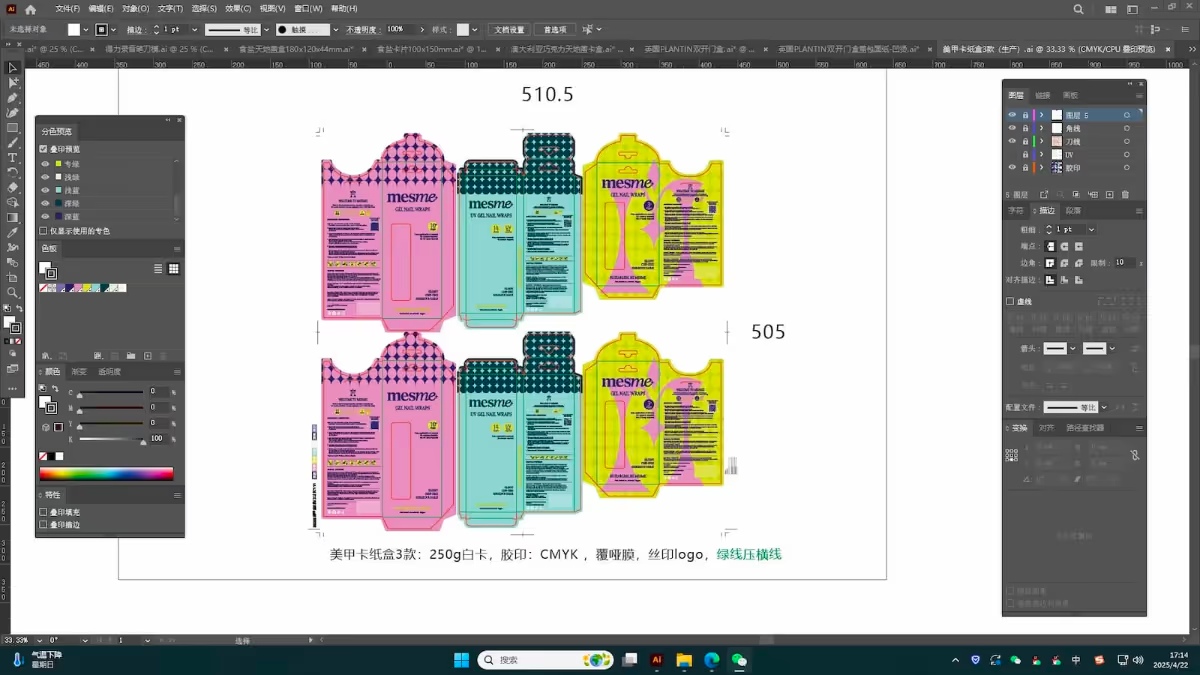
- Die-line (packaging template with fold, cut, bleed, and glue lines)
- CMYK color format and Pantone codes
- Bleed and trim marks
- High-resolution images (300 DPI)
- Outlined fonts
- Linked graphic assets
Why is a Professional File Critical for Custom Box Manufacturing?
Without a correct file setup, even the most beautiful design won’t translate well in print or on a physical box. Here’s why professional files matter:
1. Accuracy in Production
A proper file ensures the artwork aligns perfectly with die lines. Misalignment can cause key visuals to be cut off.
2. Print Quality
High-resolution images and embedded color profiles prevent blurry or color-shifted results.
3. Efficiency
Clean files speed up the prepress process and reduce the risk of errors, saving both time and money.
How to Create a Professional Design File for Packaging
Step 1: Start with a Packaging Die-line Template
Request a die-line from your packaging supplier like GUKA Packaging. This template shows where to place your artwork, fold lines, bleed, and safety margins.
Step 2: Design in Adobe Illustrator (AI)
Use vector-based tools like Illustrator to create scalable designs. Make sure to:
- Use CMYK color mode for print
- Outline all fonts
- Embed all images
Step 3: Add Layers Clearly
Keep different layers for:
- Artwork
- Die-line
- Bleed/Safety margins
- Notes or instructions
Step 4: Export Correctly
Export the final file as a press-ready PDF/X-1a, ensuring:
- Bleeds are included (usually 3mm or 0.125")
- All elements are embedded or outlined
- File is named clearly (e.g., ProductName_BoxSize_Version.pdf)
Packaging Design Tips for Best Results
- Keep It Simple: Minimalist packaging with clear branding often stands out more than cluttered designs.
- Be Brand-Consistent: Match packaging style with your product category—luxury, playful, natural, tech, etc.
- Consider Functionality: For shipping packaging design, ensure durability and stacking strength.
- Test Before Production: Create mockups or prototypes to verify how the design looks and functions in real life.
For more, read our Custom Rigid Box Design Guide.
Common Mistakes in Packaging Design Files
- Missing bleed or safety margins
- RGB color mode instead of CMYK
- Low-resolution images
- Non-outlined fonts that may not render correctly
- Artwork not aligned with the dieline
Avoiding these errors ensures fewer revisions and faster production timelines.
Who Needs a Professional Design File?
Anyone creating custom packaging for:
- Retail packaging design (apparel, electronics, skincare)
- Shipping & eCommerce boxes
- Food product packaging design
- Luxury items (perfume, jewelry, candles)
- Subscription boxes & gift packaging
Even startups can benefit—at GUKA, we support low MOQs to help small businesses launch successfully.
Why Choose GUKA Packaging for Your Custom Box Design?
At GUKA Packaging, we make packaging design simple and scalable. Here's what we offer:
- Free dieline templates for all box types
- Support for AI, PDF, EPS, and PSD files
- One-on-one assistance with design file review
- Full-service custom packaging for rigid boxes, folding cartons, corrugated mailers, paper bags, and more
- Low minimum order quantities for startups and small businesses
Explore our solutions for industries like cosmetics, food, toys, electronics, wine, and more. View Products
Just Bring Your Design File to GUKA
A professional packaging design file is the backbone of high-quality custom box packaging. It ensures accuracy, efficiency, and visual appeal from concept to delivery. Whether you’re preparing for retail shelves or online orders, working with an experienced partner like GUKA Packaging simplifies the process and ensures premium results.
Ready to bring your packaging vision to life? Contact GUKA Packaging today for free dielines and expert support.
Related Resources
- The Ultimate Guide to Folding Cartons
- How to Design a Custom Rigid Box
- Packaging Design Trends & Tips for 2025
FAQs About Packaging Design Files
1. What software should I use for packaging design?
Adobe Illustrator (AI) is the industry standard. Photoshop (PSD) can be used for images, but always convert to vector and CMYK for final output.
2. Can I use Canva or other online tools?
These are great for mockups but not ideal for production-ready files. Always switch to professional tools before submitting to your packaging supplier.
3. What happens if I don’t include bleed or outline fonts?
Your design may print incorrectly—critical information might get trimmed, and fonts could be replaced with defaults. Always follow file setup best practices.
4. Will GUKA help review my design files?
Yes! Our prepress team will review your file and alert you of any issues before production. We’re here to help every step of the way.
Recommended for you


.avif)
.avif)


.avif)
.avif)


.avif)
.avif)
.avif)
.avif)
You Might Enjoy



Are we right for each other?
We work best with brands that treat packaging as part of the product, not as the last thing on the list. To save us both time, here is who we work with best.
We're probably not the right fit if:
- Orders under $1,000.
- A few boxes, one time.
- Lowest quote wins.
- No conversation, just add-to-cart.
- Brand direction still up in the air. Our FAQ covers the basics first: process, scale, sampling, finishing, production. Worth reading before submitting anything.
We're a strong fit if:
- Projects starting around $1,000 and up.
- Sampling before production makes sense to you. It runs from $300, though complete artwork and locked specs can sometimes skip straight to the line.
- There's real budget behind the packaging, and an expectation that production standards get defined properly.
- What's needed is a manufacturing partner across structure, material, process and delivery. Not a print shop taking a file.
- The box has a job: retail shelf, gifting, unboxing. It has to carry the brand.
- Getting it right matters more than getting it cheapest.
Sound like your project? Let's talk
What happens after you submit
1. A specialist reviews your project, usually within 1 business day.
2. We follow up with questions, options, and indicative pricing.
3. Once the spec is confirmed, we move to sampling.